
A week away can easily produce a dozen confirmation emails. Two flights, from different airlines. A rail ticket. Two places to stay, one booked on Airbnb and one on Booking.com. A car park at the airport. Maybe a museum with a timed entry. Each one arrives in its own format, at a different time, and some of them change later.
The trouble usually shows up at the worst moment: at the airport, looking for the booking reference, scrolling through an inbox on bad Wi-Fi.
Why it gets messy
- Every company lays its email out differently. The check-in time is near the top in one and buried under the cancellation policy in another.
- Bookings change. A flight retimes, a hotel upgrades the room, and now there are two emails for the same booking. Which one is current?
- The pieces have to fit together. The train has to leave after you've checked out, and the hotel has to start the night you arrive. Nothing in your inbox checks that for you.
- Other people need them too. If you're travelling with someone, they need the references just as much as you do.
What a good booking list needs
Whatever you use, a spreadsheet, a notes app or a trip planner, each booking needs a few things to be useful on the day:
- The local time it happens, on the clock of the place it happens. More on that in our post about time zones.
- The reference, ready to read out at a desk.
- Where it is, with directions.
- What it cost, so the trip's total is real.
- Its place on the day, next to everything else you're doing.
The last one is the one most lists miss. A list of bookings tells you what you've booked. An itinerary tells you what you're doing at 3pm on Tuesday.
How RPlan does it
In RPlan, you copy the whole confirmation email and paste it in. It reads out the bookings it finds and shows them to you before anything's saved: flights, trains, coaches, ferries, rental cars, airport parking, hotels and Airbnbs.
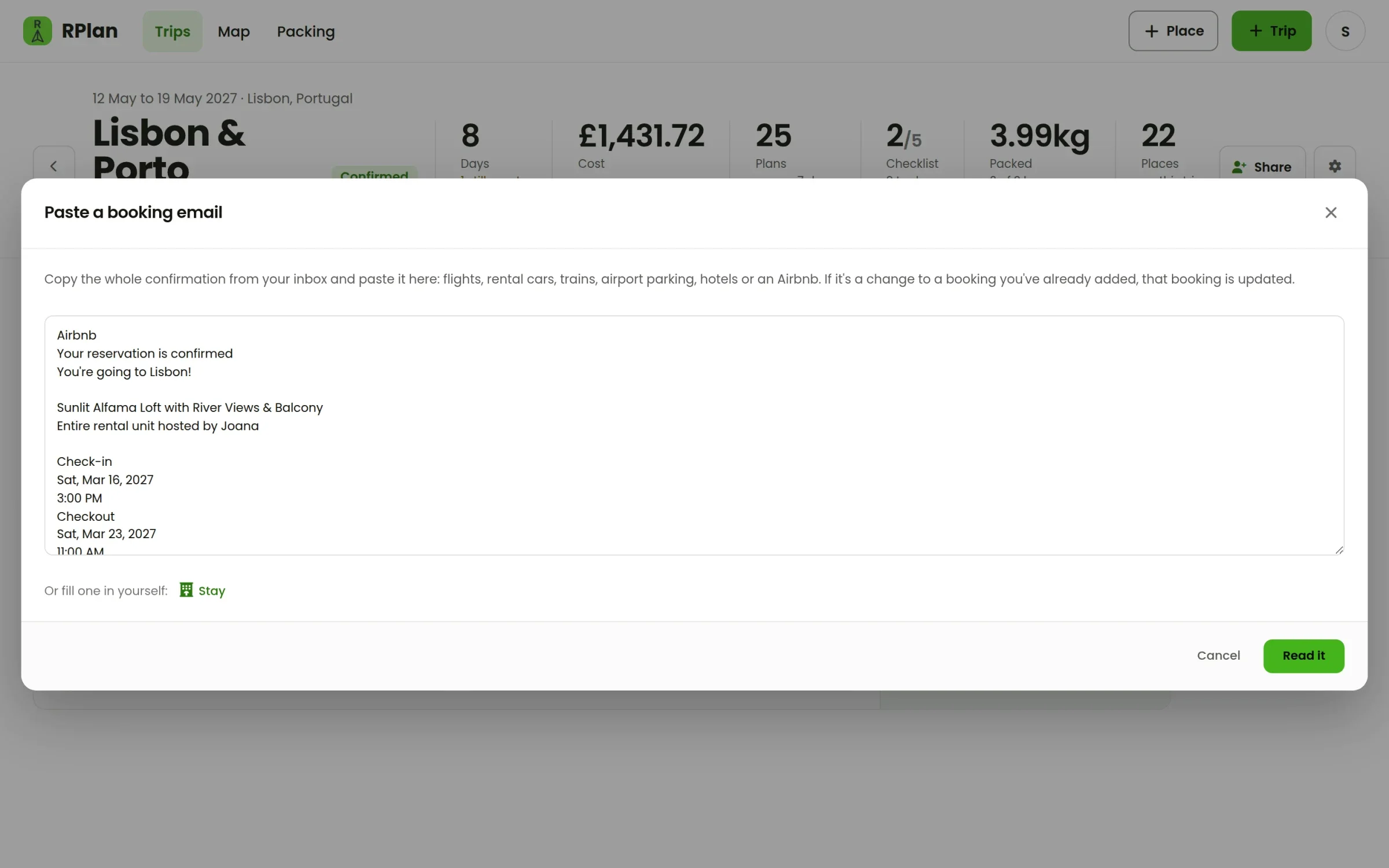
A return flight comes out as two flights, and a connection as two legs. A stay comes out with its check-in and check-out times, and its name is taken from the listing as it's printed, so the Airbnb is called "Sunlit Alfama Loft", not "Lisbon".
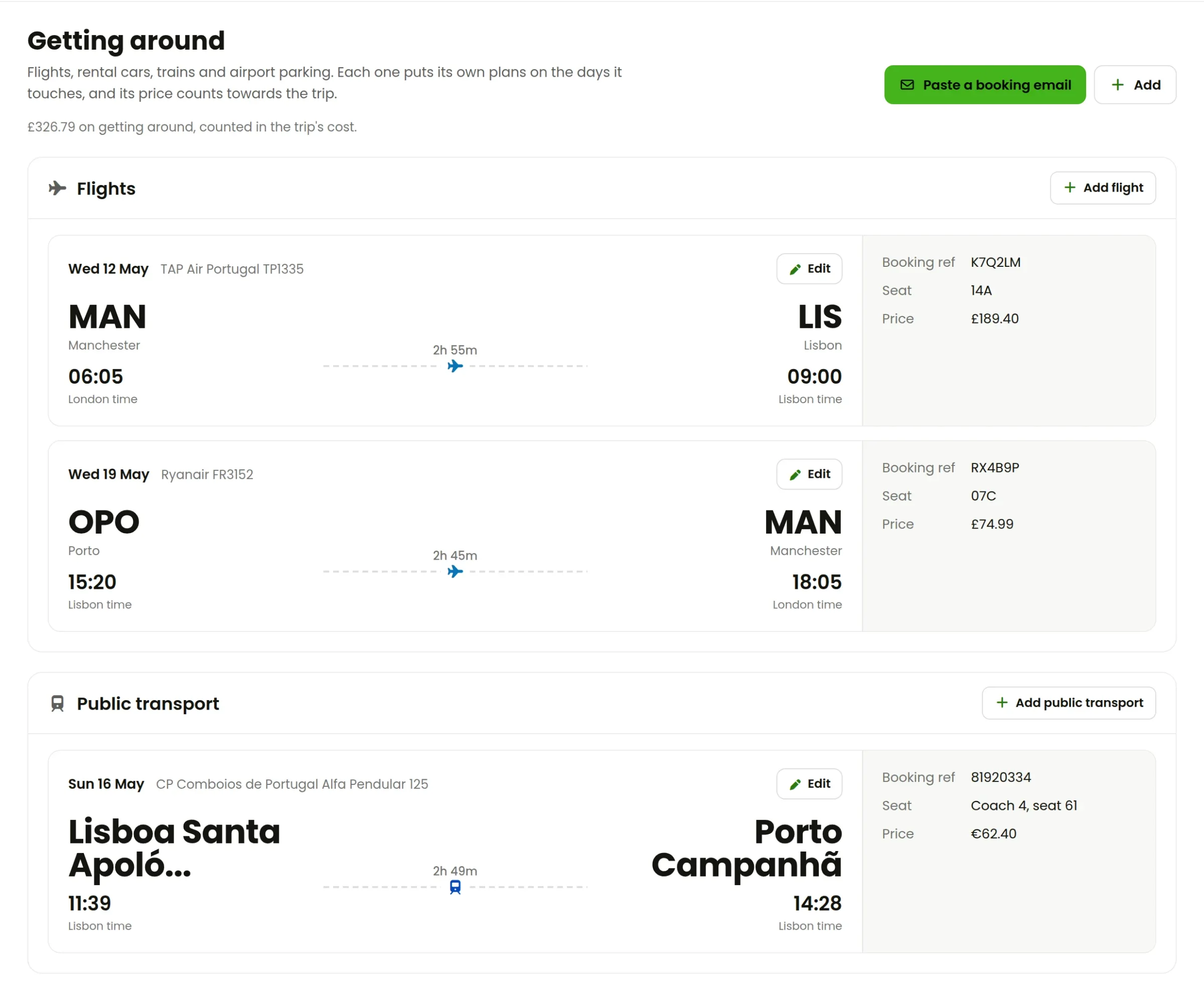
Flights and trains land on the Getting around tab, each as a card with its reference, seat and price, and its times on the right clocks.
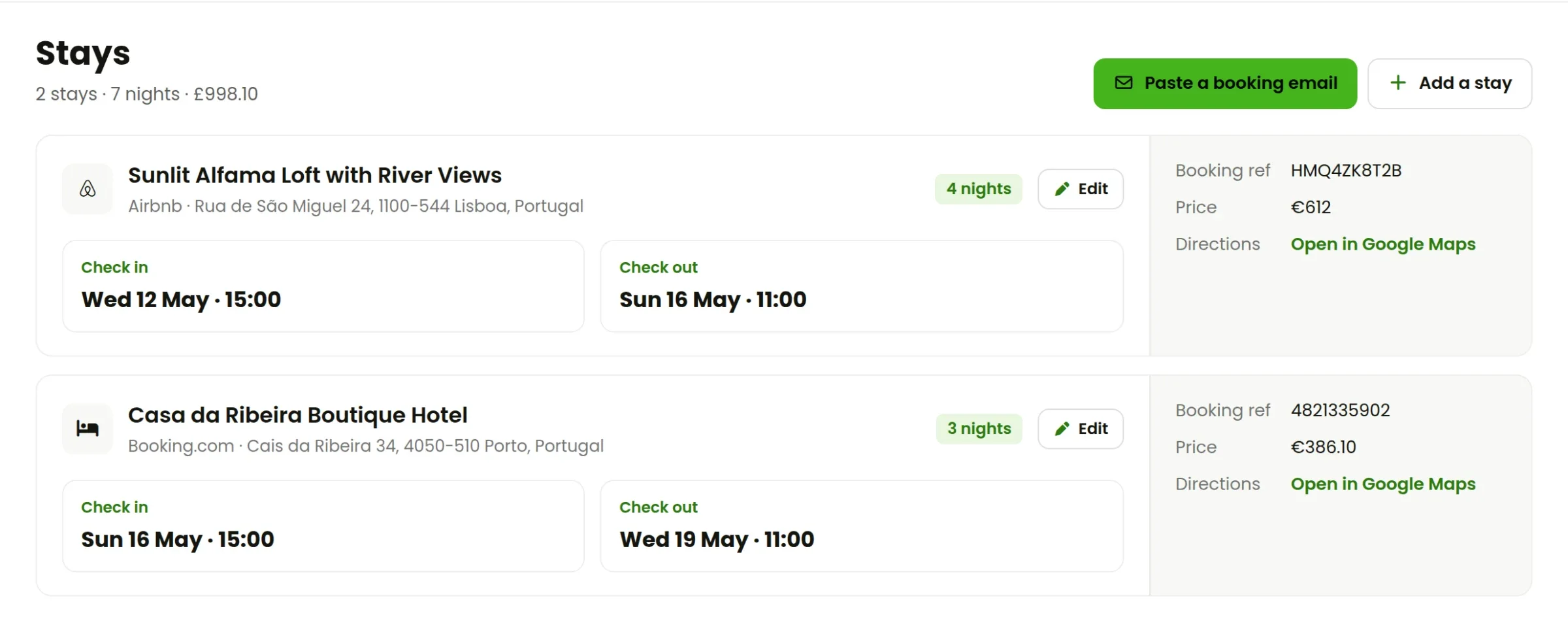
Hotels and Airbnbs go on the Stays tab, where any nights without somewhere to sleep are pointed out.
And every booking puts its own plans on the itinerary. The flight sits on the day it leaves, check-in appears on the day you arrive, and the train shows up between check-out and check-in. If a booking changes, paste the new email. RPlan matches it to the old one by its reference and asks whether to replace it.
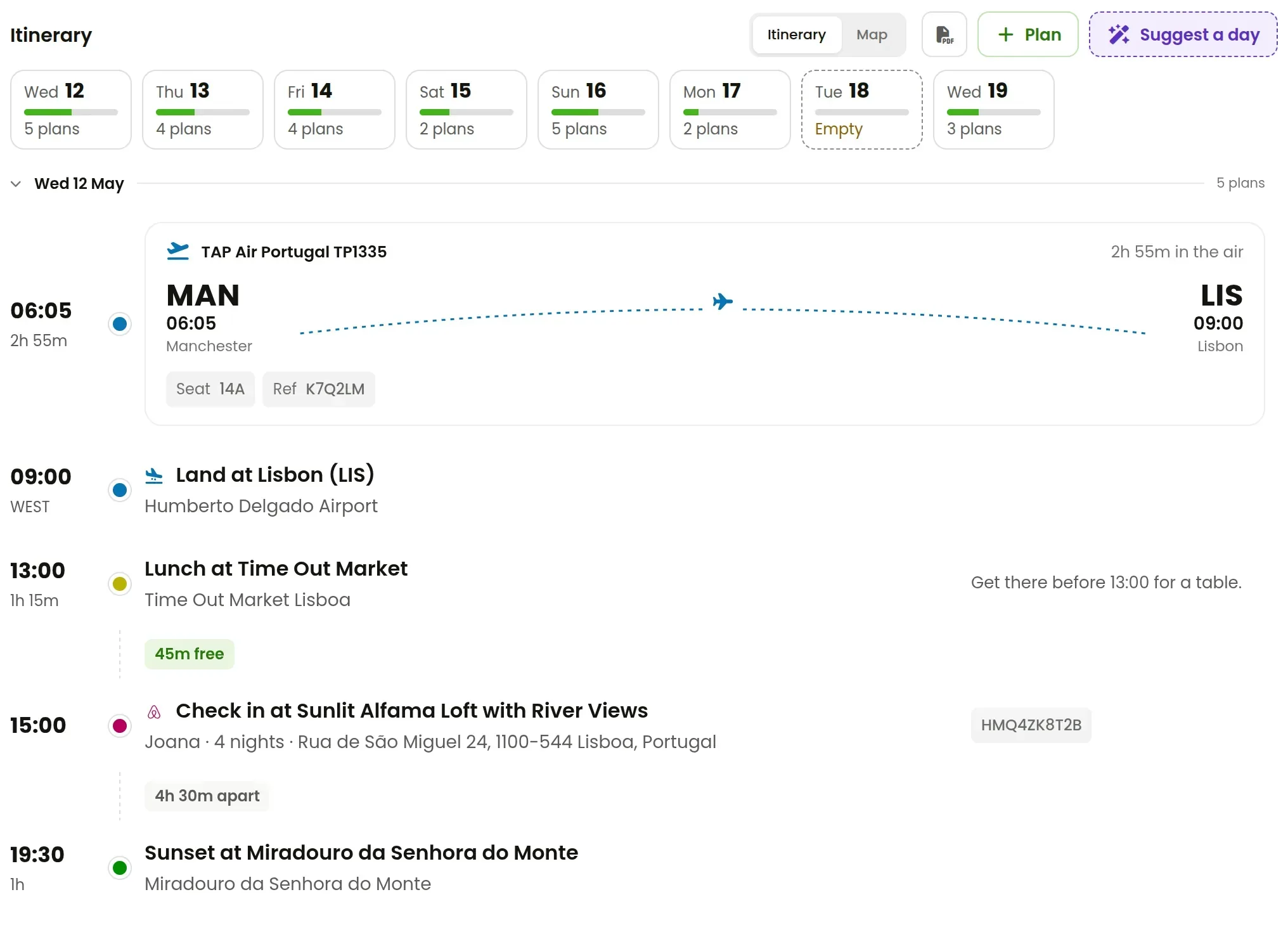
If you're travelling with other people, share the trip and decide who can see the bookings. They get the same references and times, and they see changes as soon as you make them.
A quick routine that works
- When a confirmation arrives, paste it in straight away, while it's the newest email.
- When a change email arrives, paste that too. Don't edit by hand, because the reference match keeps things straight.
- A week before you go, open Stays and check there are no uncovered nights.
- On the day, open the trip, not your inbox.
Your first trip in RPlan is free. Start one and paste the first booking you've got.