Most group trips are planned in a group chat. Somebody posts a link to a restaurant, three people react with a thumbs-up, and a fortnight later nobody can find it. Two people book the same museum on different days. The person who booked the flights is the only one who knows what time they leave.
The chat is good for deciding things. It's bad at remembering what was decided.
What goes wrong
- Decisions scroll away. The plan exists in fifty messages, not in one place.
- Two people edit at once. One of you moves dinner to Friday while the other books a show on Friday evening.
- Everyone needs different things. The person sorting the money needs the prices, someone else only wants to know where to be and when, and a parent coming along for two days doesn't need to see the packing list.
- On the day, people split up. "Where are you?" isn't a plan.
What a shared plan needs
A trip planned by more than one person works when there's one plan that everyone can see, changes show up for everyone straight away, and each person can do what they need to and no more. Then the chat goes back to what it's good at: talking about the trip, not storing it.
How shared trips work in RPlan
Open a trip and press Share. Add each person by email, and choose what they can do:
- Change plans and days: add, move and remove plans, and add days.
- See bookings: flights, cars, trains and stays, with their references and seats.
- See packing: the bags on the trip and what's in them.
Everyone can always see the days and the plans.
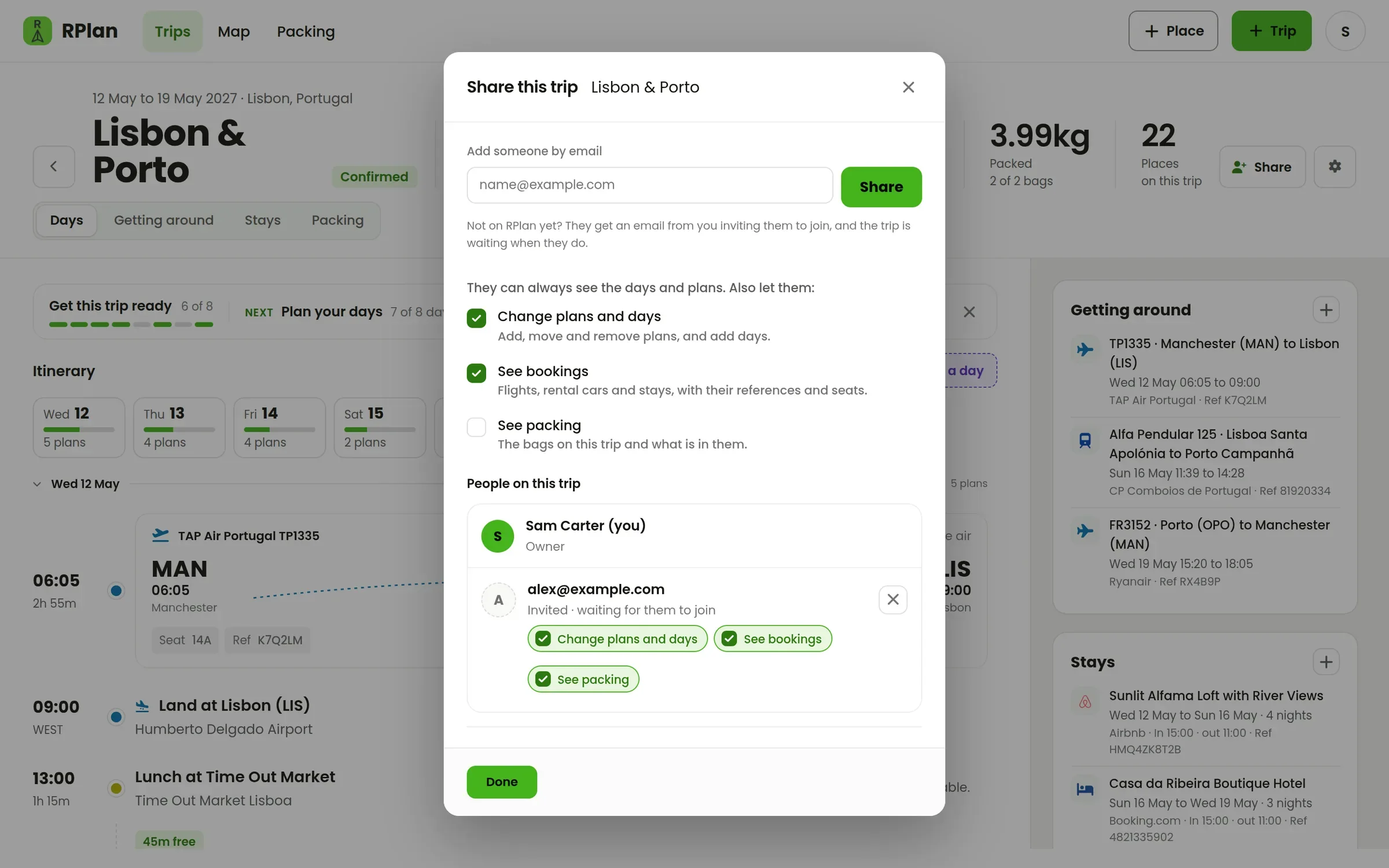
If they're not on RPlan yet, they get an email saying who invited them, and the trip is waiting in their account when they join. They don't have to make a trip of their own.
Everyone sees changes live
When someone adds a plan, it appears for everyone else who has the trip open, with no refreshing. When someone is editing a plan or a booking, it shows their name and is locked for the others until they're done. That's the end of two people changing the same evening at once.
The jobs before you go
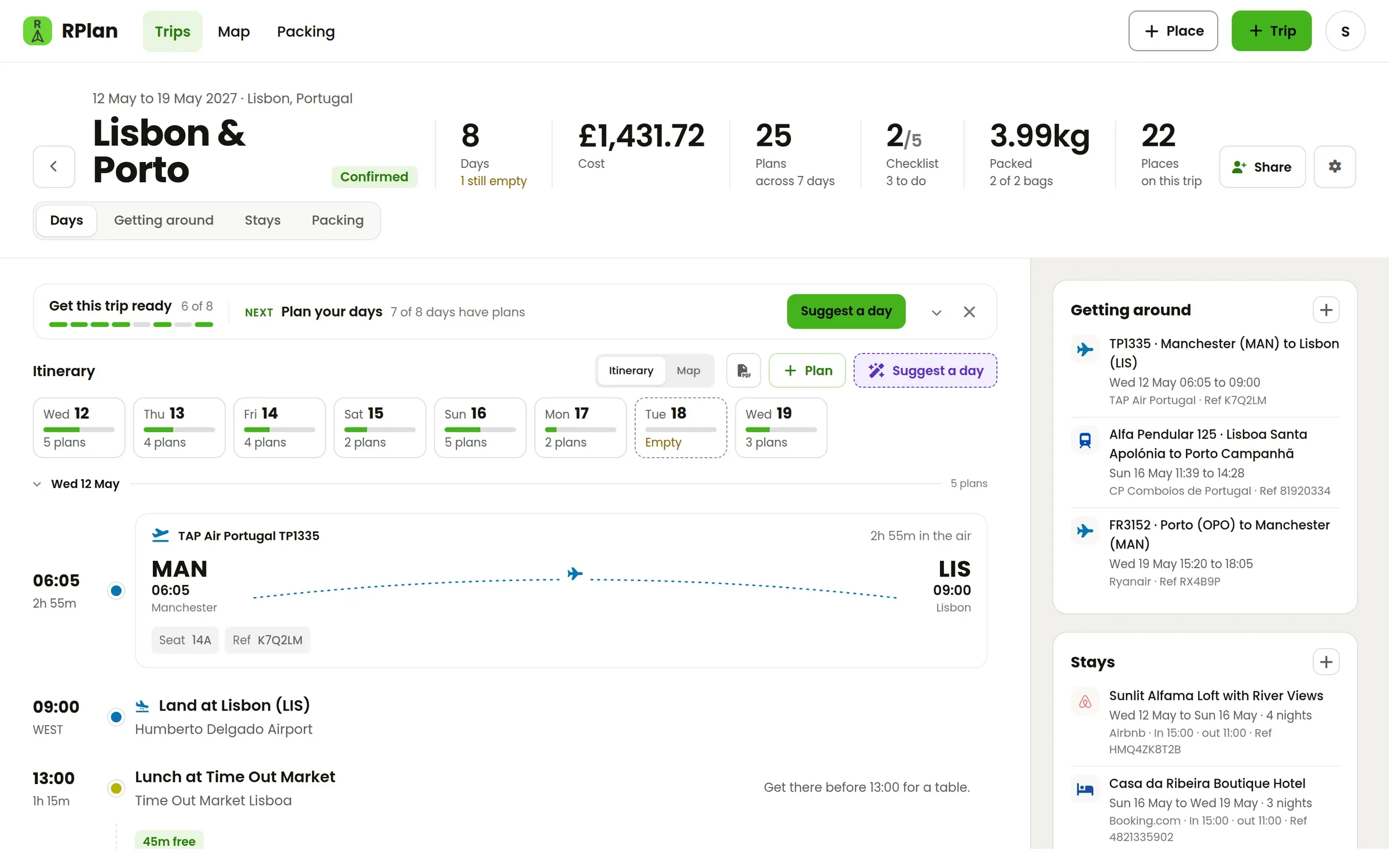
Each trip has a checklist for the things that aren't plans: insurance, passports, tickets to book, maps to download. Anyone who can change the trip can tick things off, and everyone can see what's left.
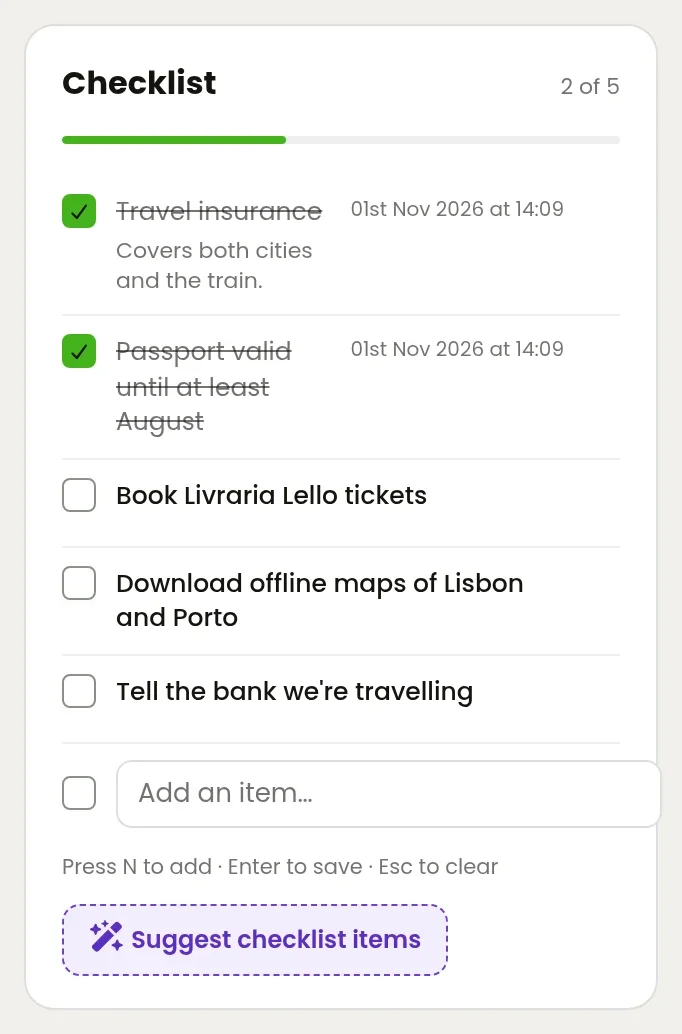
If nobody's sure what's needed, Suggest checklist items looks at where you're going and when, and suggests things for this trip, like a visa or a rail pass. You choose which to add.
Finding each other on the day
On a shared trip, each person can switch on Share my location. While it's on and the page is open, the others see them on the trip's map. It's off until each person turns it on for themselves, and it stops when they turn it off.
Tips for a smoother group trip
- Make one person the owner. They set up the trip and the bookings, and decide who can change what.
- Give editing to the people doing the planning. Everyone else can still see the plan.
- Paste bookings in, don't post them in the chat. The references live on the trip, as covered in keeping your bookings in one place.
- Use the chat to decide, then put it on the trip. If it's not on the trip, it's not the plan.
Only the person who owns the trip needs it unlocked. Your first trip is free, so start one and invite the people you're going with.