

A flight leaves Manchester at 06:05 and lands in Lisbon at 09:00. That's not three hours in the air. Portugal is on the same clock as the UK, so it's just under three hours. Fly the same morning to Athens and the landing time on your ticket is two hours ahead of home. Fly to New York and, by the clock, you land about three hours after you took off, after eight hours in the air.
Booking confirmations always print local times: departure on the clock where you leave, arrival on the clock where you land. That's correct, and it's what airports, stations and hotels go by. Problems start when those times get copied somewhere that assumes everything's on one clock.
Where it goes wrong
- Calendar apps convert. Add a 09:00 landing in Lisbon to your calendar while your phone thinks it's in London, and depending on how it was entered, it may show at the wrong hour after you land, or before.
- Spreadsheets don't know. A column of times has no idea which city each one belongs to. Durations worked out by subtracting them come out wrong whenever the trip crosses a zone.
- Overnight flights skip a day. Leave at 21:00, land at 07:30 the next morning, local. Put the landing on the departure day and the whole next day is off by one.
- The clocks change. A trip that crosses the last weekend of March or October changes clocks halfway through. The times on your bookings are still right, but anything you worked out in home time is now an hour out.
The rule that fixes it
Write every time in the local time of the place where it happens, and label it. The flight leaves at 06:05 London time and lands at 09:00 Lisbon time. Dinner is at 20:30, in Lisbon. You never convert anything. You read the clock on the wall where you're standing.
Two things follow from that rule:
- A plan needs to know where it is, so it knows which clock it's on.
- Durations have to be worked out properly, in real elapsed time, not by subtracting one printed time from another.
How RPlan handles it
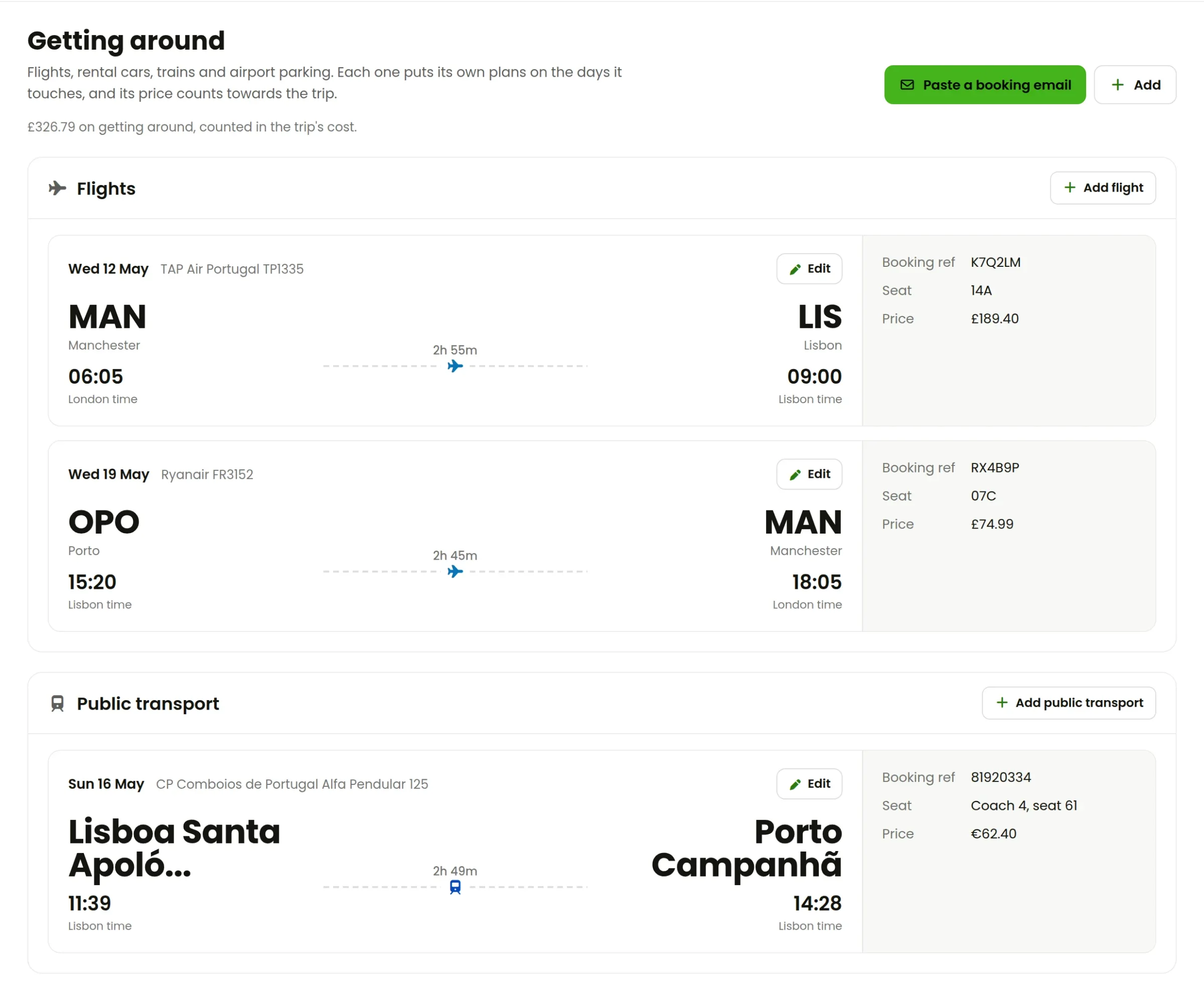
RPlan follows that rule without you setting a single time zone. Each plan is on the clock of its place, for its date. Flights and trains show both ends on their own clocks, and say which clock it is.
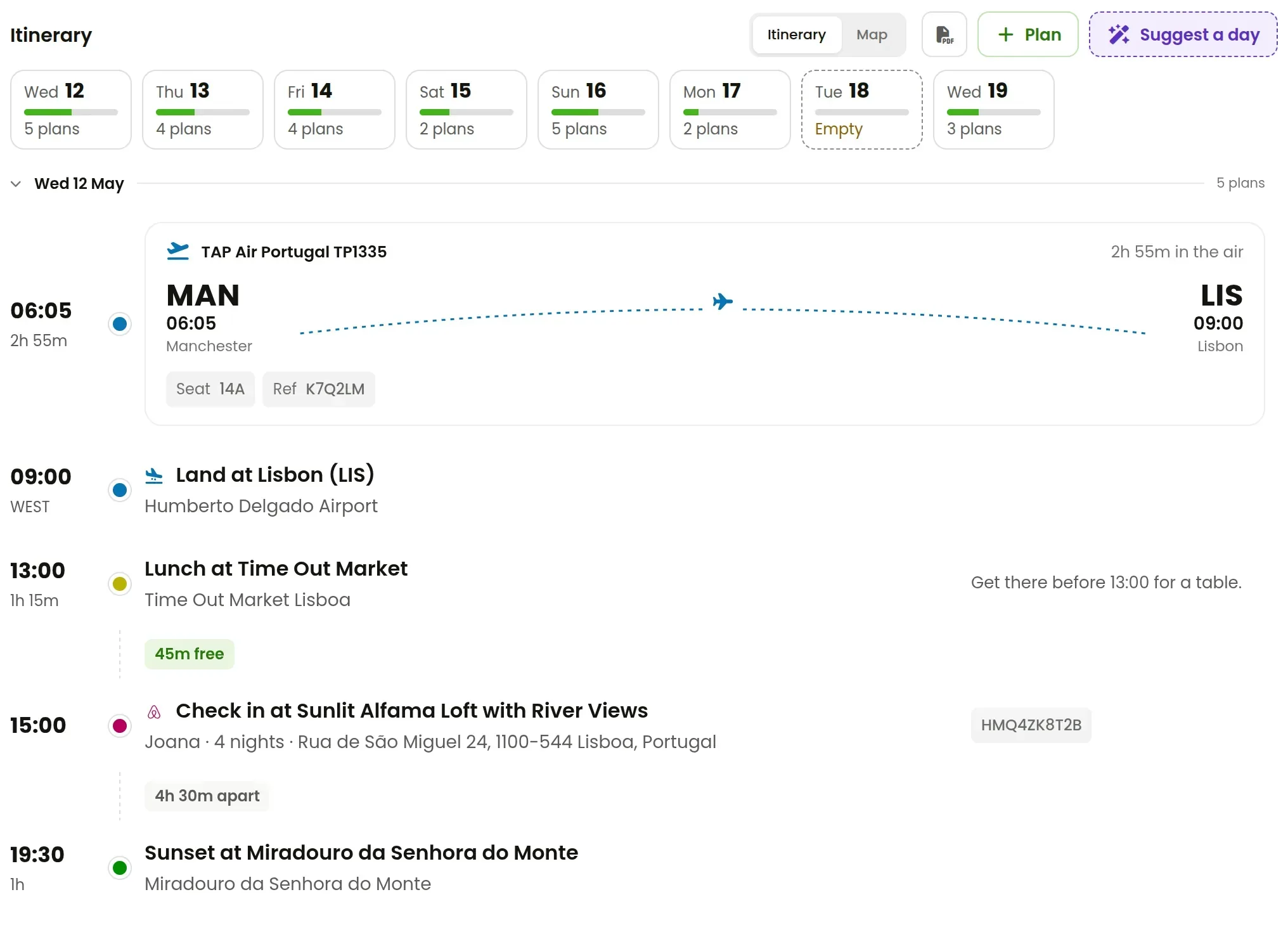
On the itinerary, the landing shows the zone it happened in, so you can see when your day switches clocks. Gaps between plans are worked out in real time. The "45m free" before check-in is really 45 minutes, wherever the plans are.
Because bookings come in from their emails with their own local times, as covered in keeping your bookings in one place, there's nothing to convert by hand at any point. An overnight flight lands on the day the email says it lands.
A few habits worth keeping
- Never convert a booking's time into "home time". Keep the printed local time.
- When you add a plan of your own, put it at a real place. The place decides the clock.
- If a trip crosses a clock change, look at the days either side of it. Everything should still read as local time.
- On the day, trust the itinerary over the time on your phone's lock screen until it's caught up with where you are.
RPlan's first trip is free, with everything switched on. Try it with your next flight.