

The most common itinerary problem isn't having nothing to do. It's having everything to do on day two and nothing on day five. The other one is forgetting that the places on the list are on different sides of a city, and that getting between them takes most of an afternoon.
Why days go wrong
- Travel time is invisible on a list. "Castle, then the Gulbenkian, then dinner in Belém" looks fine until you see it on a map.
- Fixed times get forgotten. The 09:30 timed entry, the lunch booking, the train at 11:39: everything else has to fit around them.
- Empty days fill up with guesswork. You either over-plan them at home or wander aimlessly on the day.
- Plans change. Rain, a closed museum, a lie-in. A plan that can't bend breaks.
How to plan a realistic day
- Put the fixed things in first. Flights, trains, check-in and check-out, timed tickets and bookings. They're the frame for everything else.
- Group by area. Do the things that are near each other on the same day.
- Leave gaps. Allow time to get from one place to the next, and some time for nothing at all.
- Keep one day loose. It's somewhere to move things to when the plan changes.
How RPlan helps
Bookings are the frame
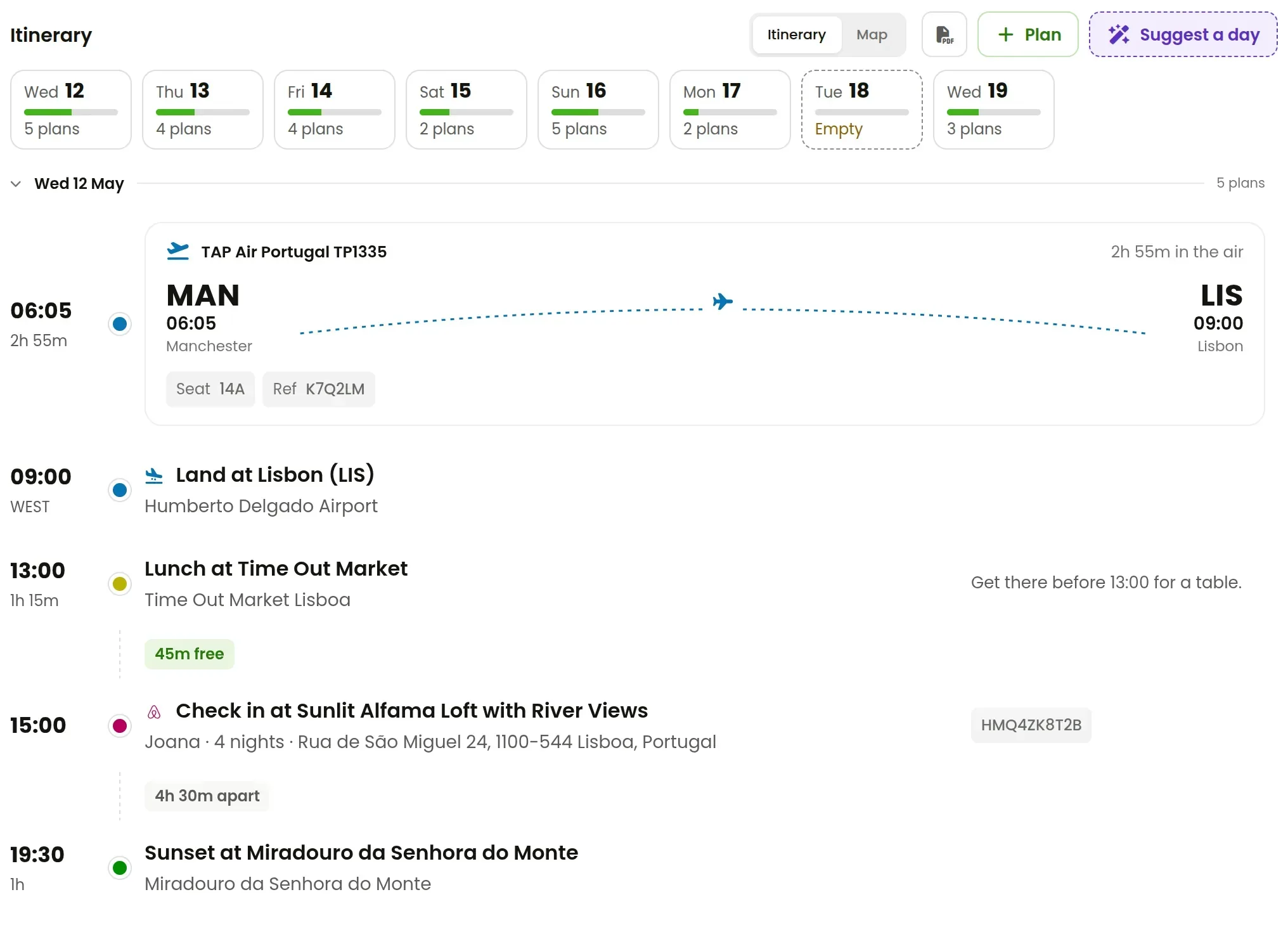
Flights, trains and stays put their own plans on the right days, at their local times, as soon as you add them. They're locked, so a flight's departure can't drift away from the flight. Your own plans go around them.
Gaps and travel time are worked out
As you add a plan, RPlan works out how long it takes to get there from the plan before. It shows the time you have spare between plans, and flags it when two are too close together. "30m between" is a warning. "1h 30m free" is a coffee.
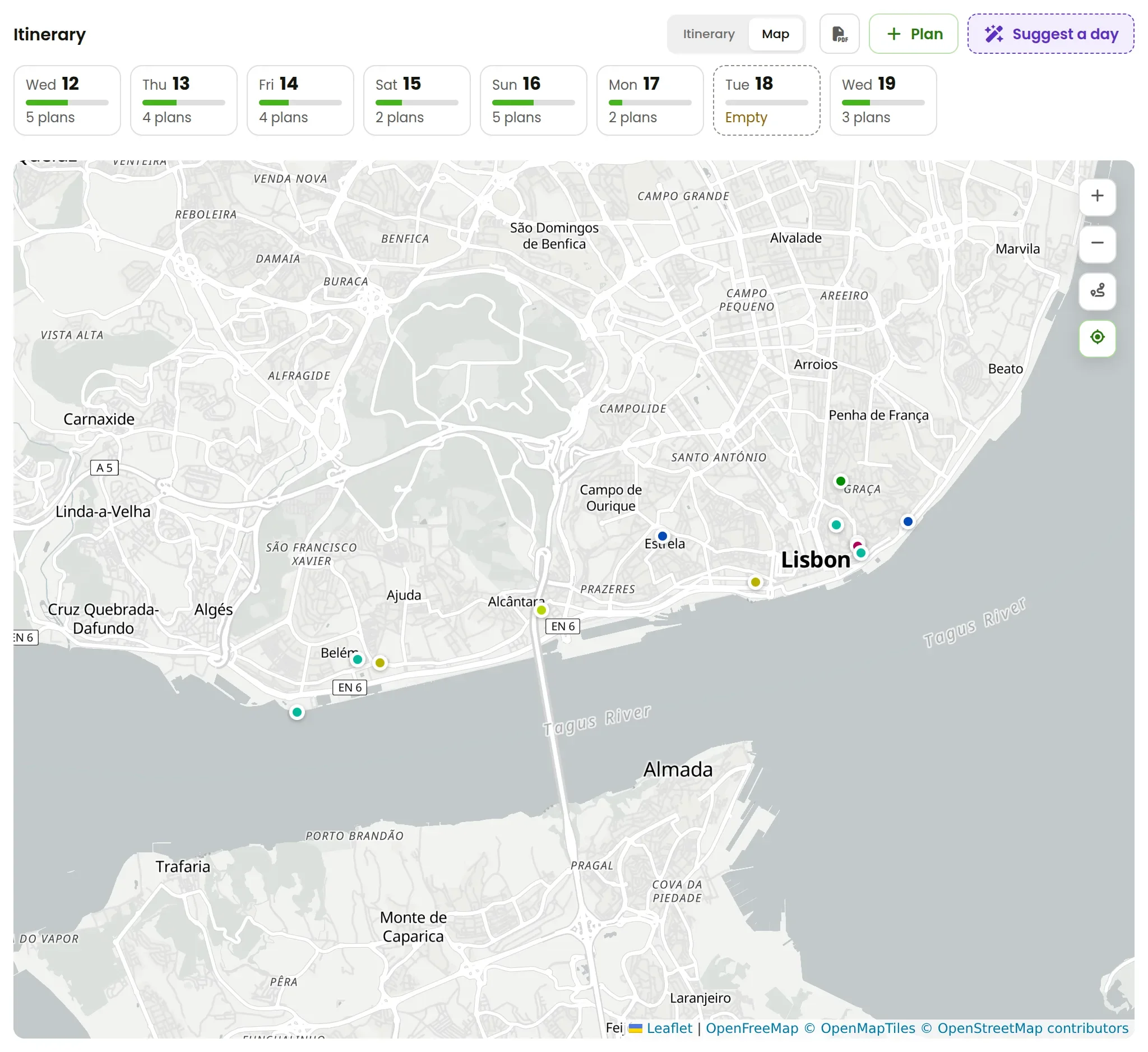
The map shows the trip's plans in their categories' colours, so you can see at a glance whether a day sends you back and forth across the city.
Suggest a day fills the empty ones
Each day shows how many plans it has, and empty days are marked. Pick an empty day and press Suggest a day. You can say what you'd like, such as "a market, a long lunch and a garden". The assistant plans the day using what it knows about the trip: where you're staying, what's on the days around it, and how long it takes to get between places.
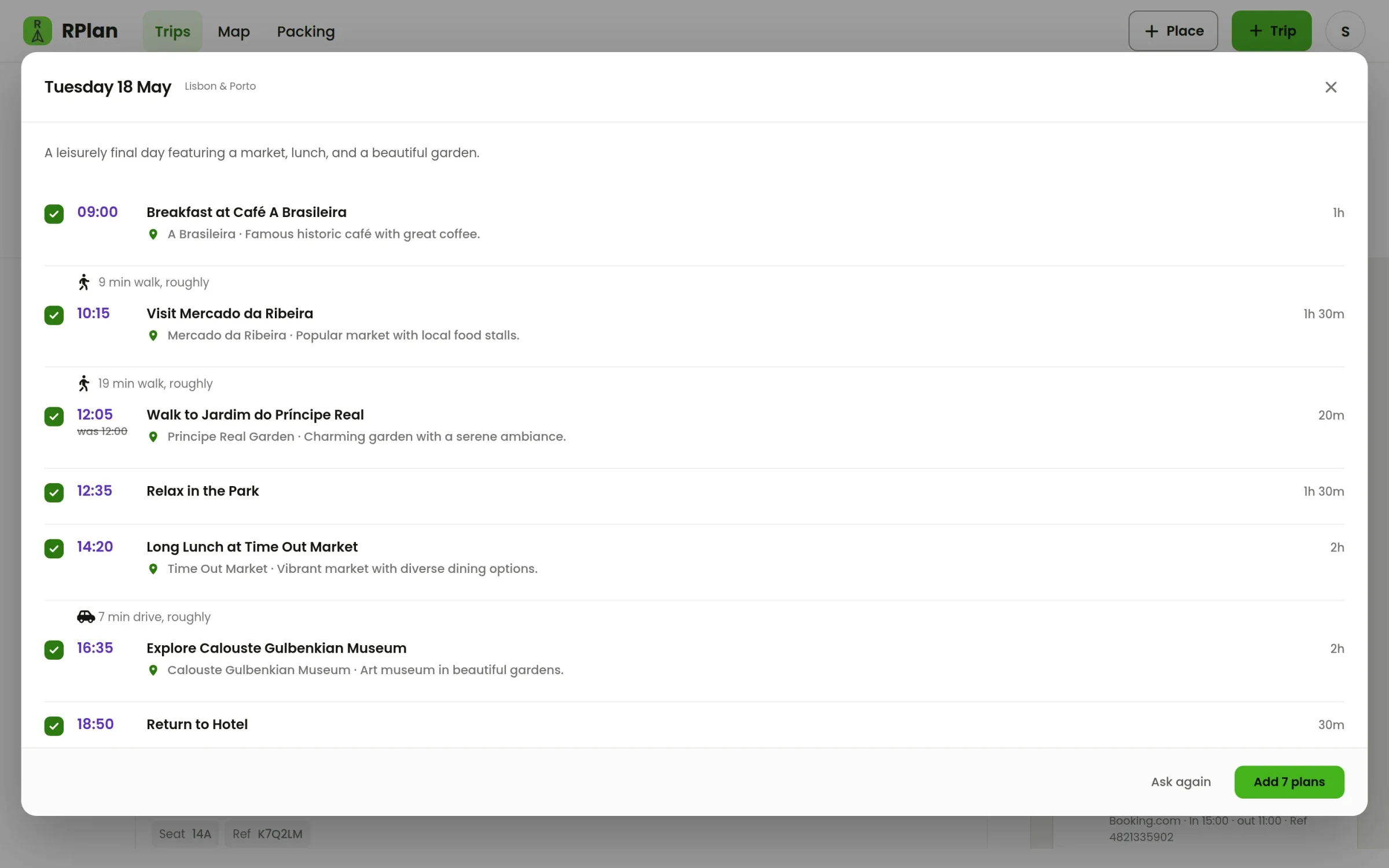
It comes back with real places, in an order that makes sense, with the travel between them. If one of its times would clash with something already on the day, it moves it and shows you what it changed. Untick anything you don't fancy, then add the rest. Nothing reaches your trip until you do.
When plans change
Move a plan to another day and the gaps on both days are worked out again. Change a booking by pasting its new email, and its plans move with it. A trip planned this way can be reshuffled in a minute, which is the whole point: the plan should change as easily as the trip does.
Your first trip in RPlan is free, assistant included. Start planning.