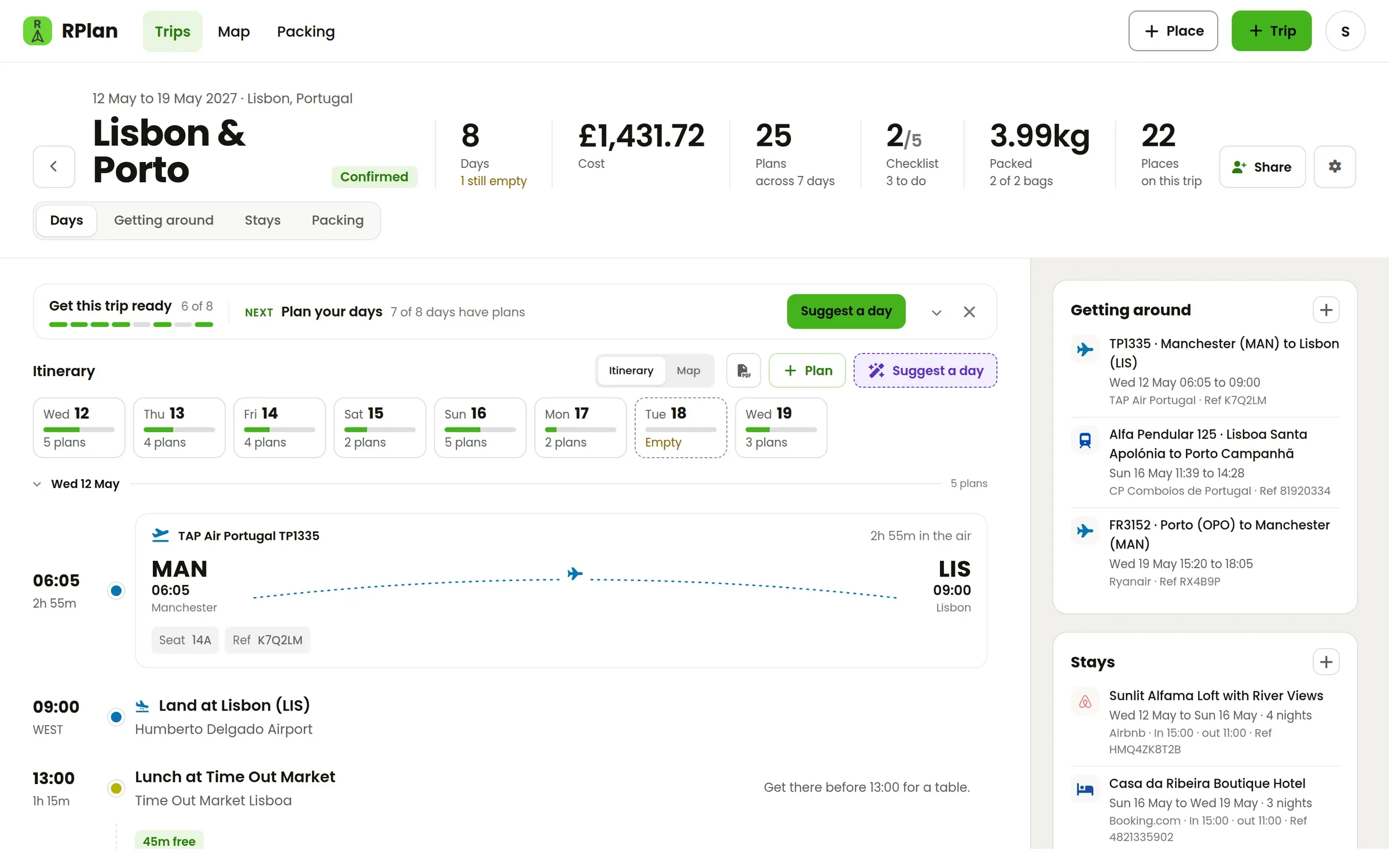
RPlan started as a way to plan trips that don't stay still: the flight moves, a day frees up, someone wants to add a museum. Version 5 is the biggest update since then. It's built around two ideas: a trip is usually planned by more than one person, and most of what's on it already exists in your inbox.
Here's what's new, using a week in Lisbon and Porto as the example.
Plan a trip together
Every trip now has a Share button. Add the people you're going with by email and choose, for each of them, whether they can change plans and days, see the bookings and see the packing. Someone without an account gets an email saying who invited them, and the trip is waiting for them when they sign up. They don't have to make a trip of their own to join yours.
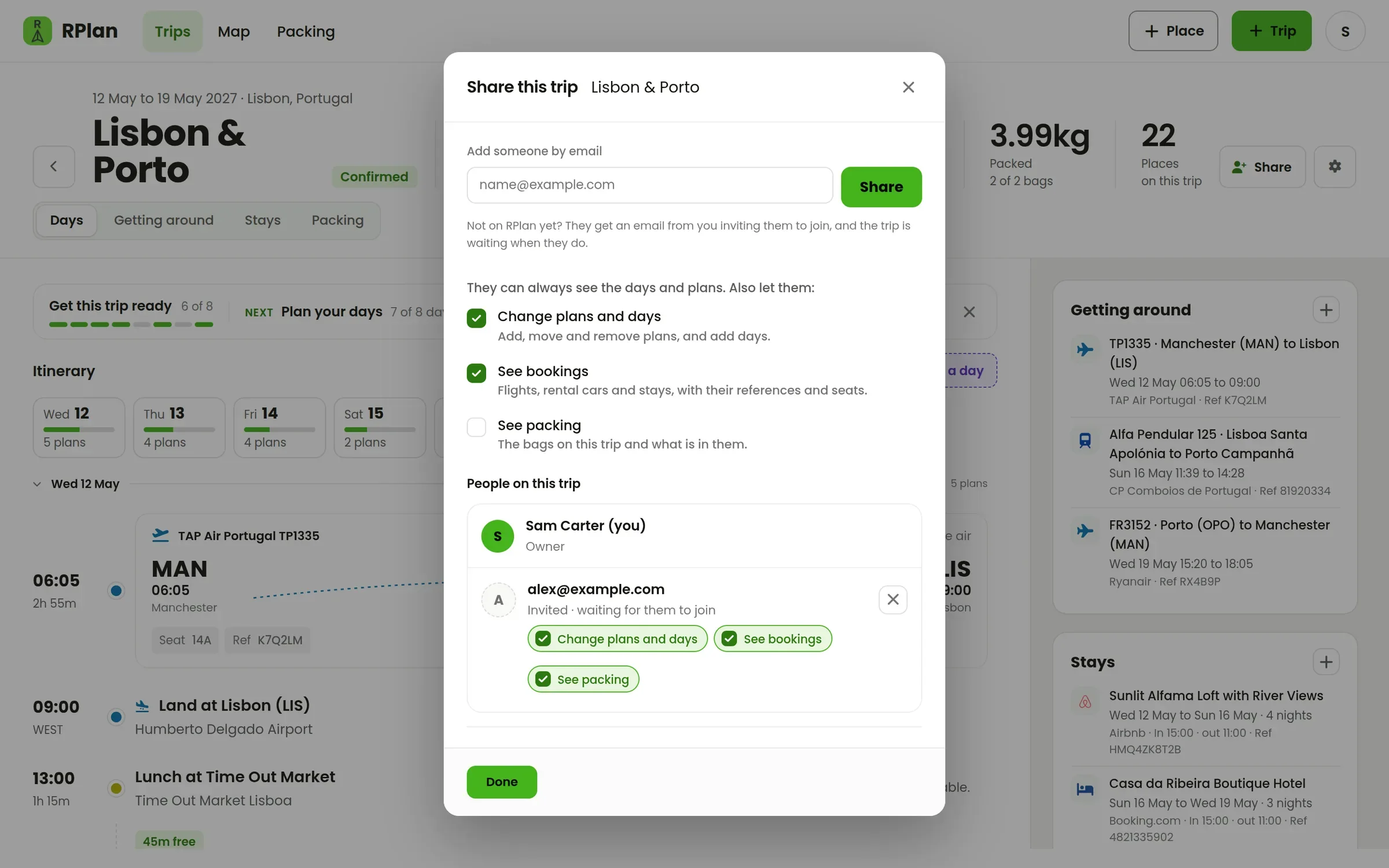
Changes show up for everyone straight away. If your partner adds dinner on Thursday while you're looking at Thursday, it appears on your screen without a refresh. A plan or booking someone is editing shows their name and is locked for everyone else until they've finished, so two people can't overwrite each other.
On a shared trip, each person can also switch on their location and see the others on the trip's map. It's off until each person turns it on themselves, and it only shares while the page is open.
Paste a booking email, get the booking
Copy a confirmation email, paste it into RPlan, and the bookings in it are read out for you to check: flights, trains, coaches, ferries, rental cars, airport parking, hotels and Airbnbs. A return flight becomes two flights, a connection becomes two legs, and a hotel becomes a stay with check-in and check-out.
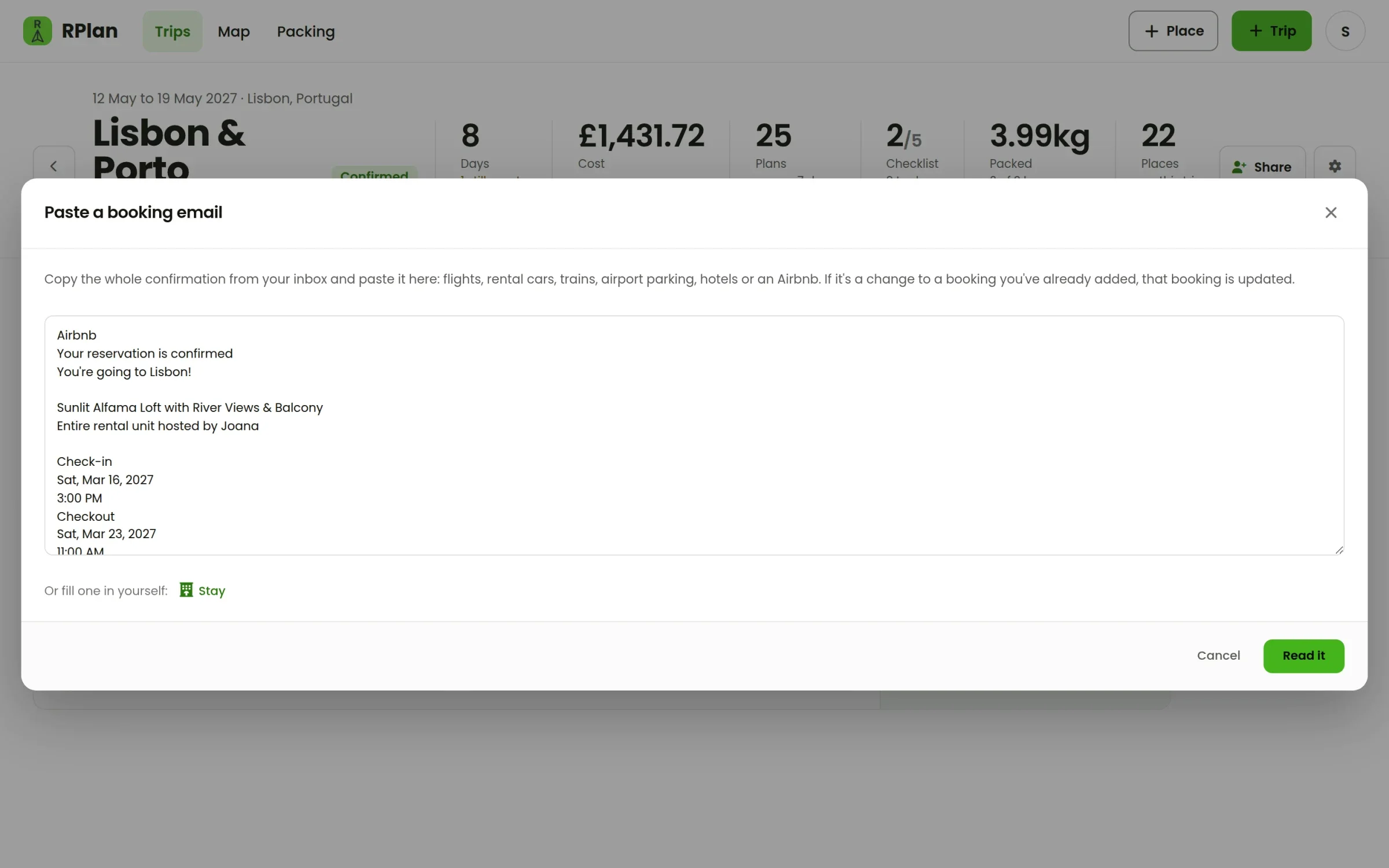
Nothing reaches your trip until you've looked at it. If you paste an updated confirmation for a booking you already have, RPlan matches it by its reference and asks whether to replace the old one or keep both.
Getting around and Stays
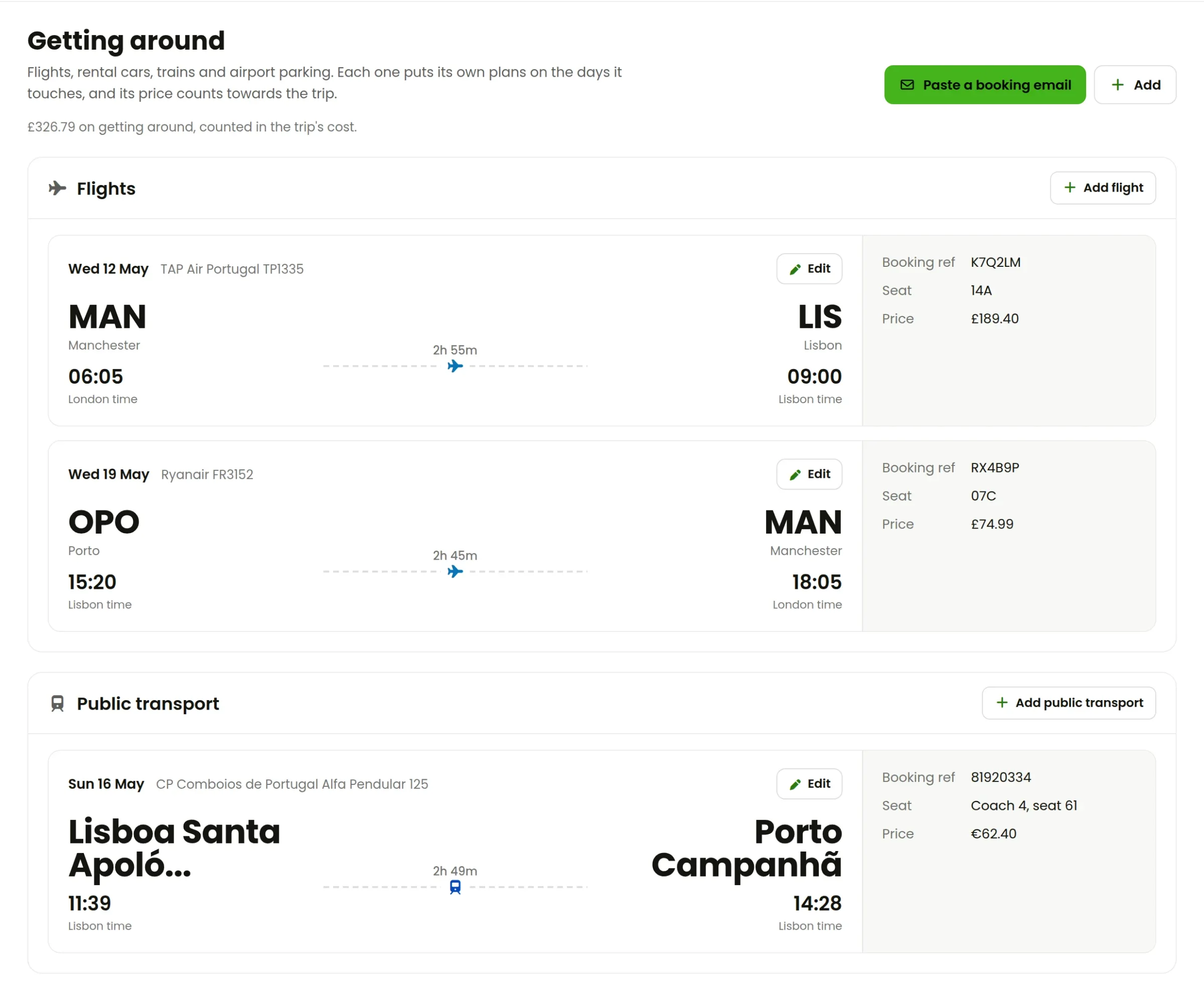
Trips have tabs now: Days, Getting around, Stays and Packing. Getting around shows each flight and train as a boarding-pass card. The times are shown on the clocks they happen on, so a 06:05 departure from Manchester says London time and the 09:00 landing says Lisbon time.
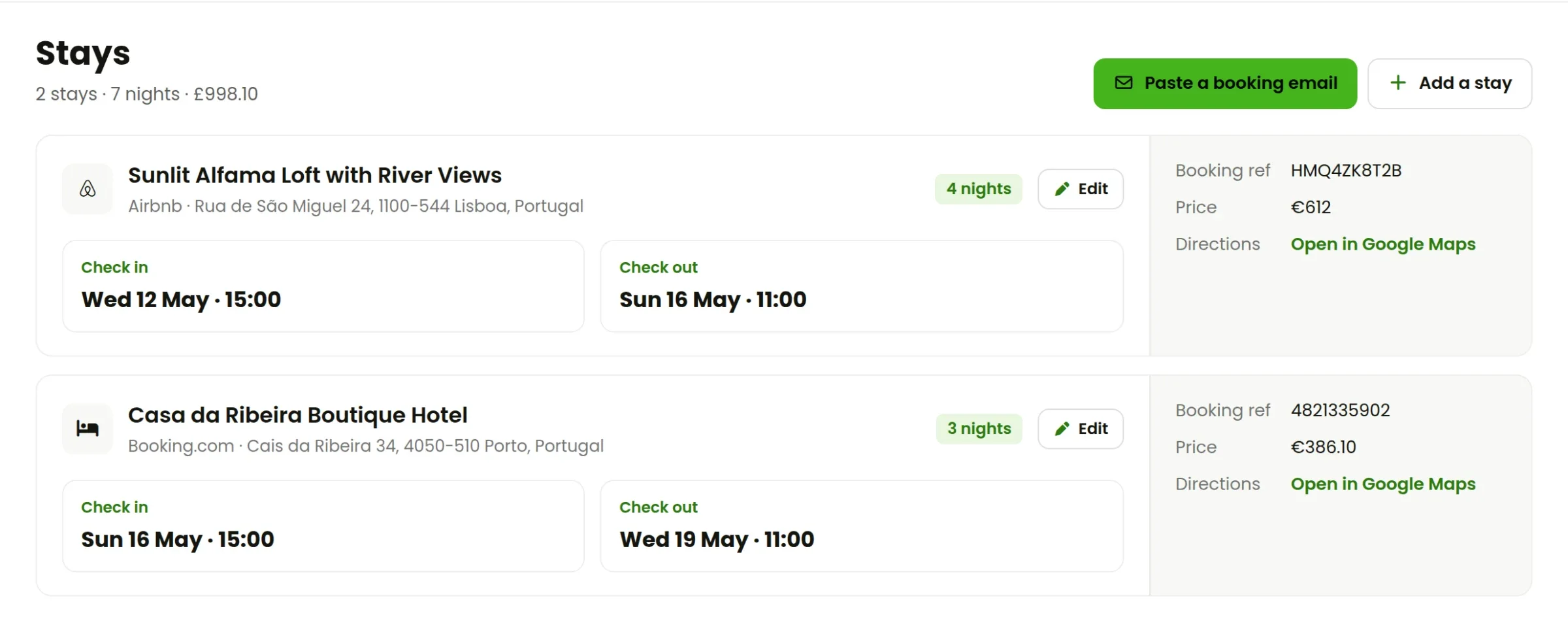
Stays shows where you're sleeping each night, with the check-in and check-out times, the booking reference and a link to directions. It also points out any nights that nothing covers yet. That's the gap that otherwise turns up at 11pm in a station.
Bookings run the itinerary
A booking isn't just a note. It puts locked plans on the right days: a flight shows as a flight card at its local time, check-in appears on the day you arrive, and check-out on the day you leave. If the trip doesn't have dates yet, adding the flights gives it them.
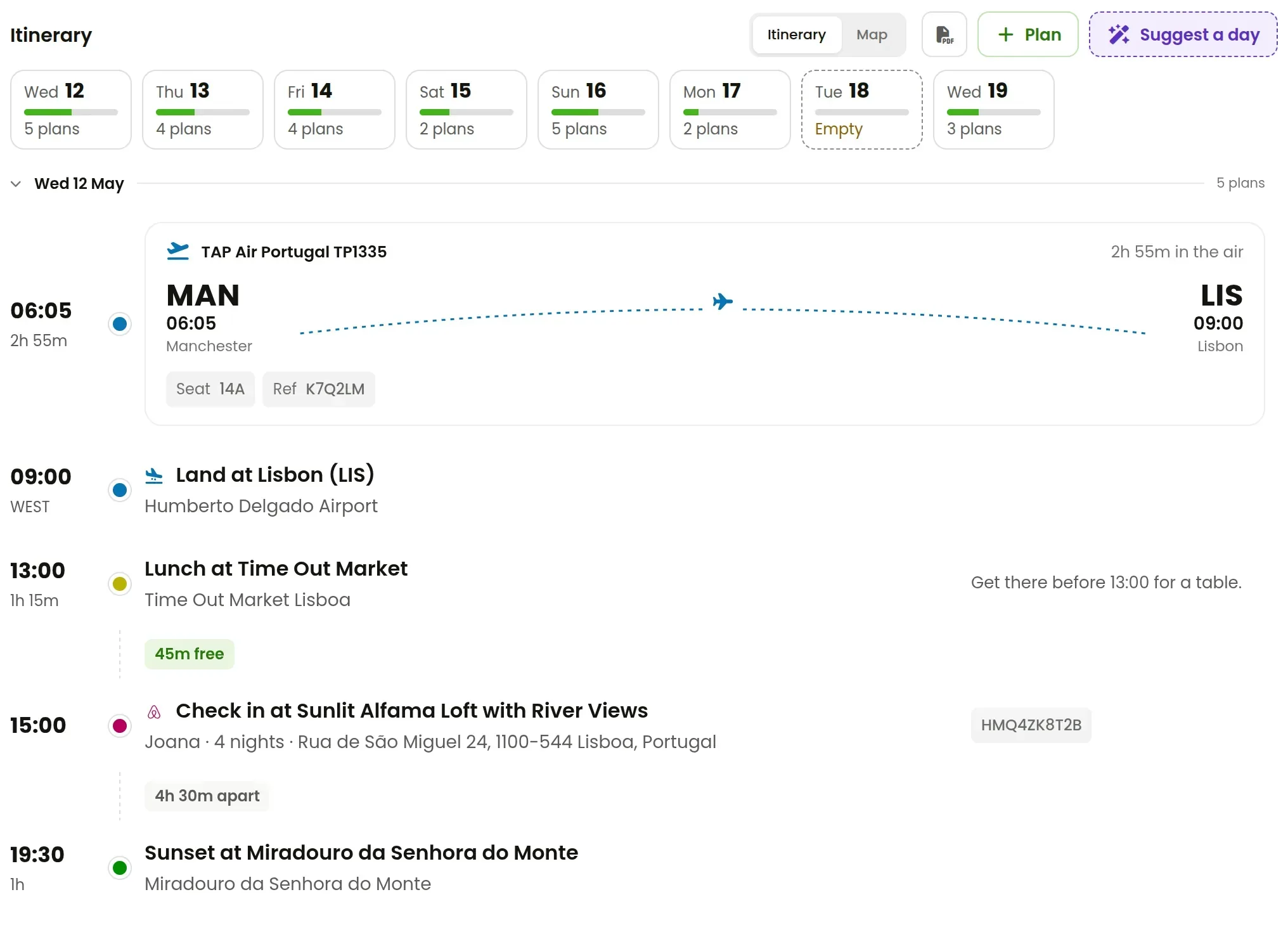
Between plans, RPlan works out how long it takes to get from one to the next and shows the time you have spare. If two plans are too close together, you'll see it before you're running across town.
A smarter assistant
The assistant reads your trip before it suggests anything: the dates, where you're staying, what's already planned and how far apart things are. Suggest a day plans an empty day around all that. You can tell it what kind of day you'd like, and it comes back with real places close together, in an order that works, with the walking or travel time between them.
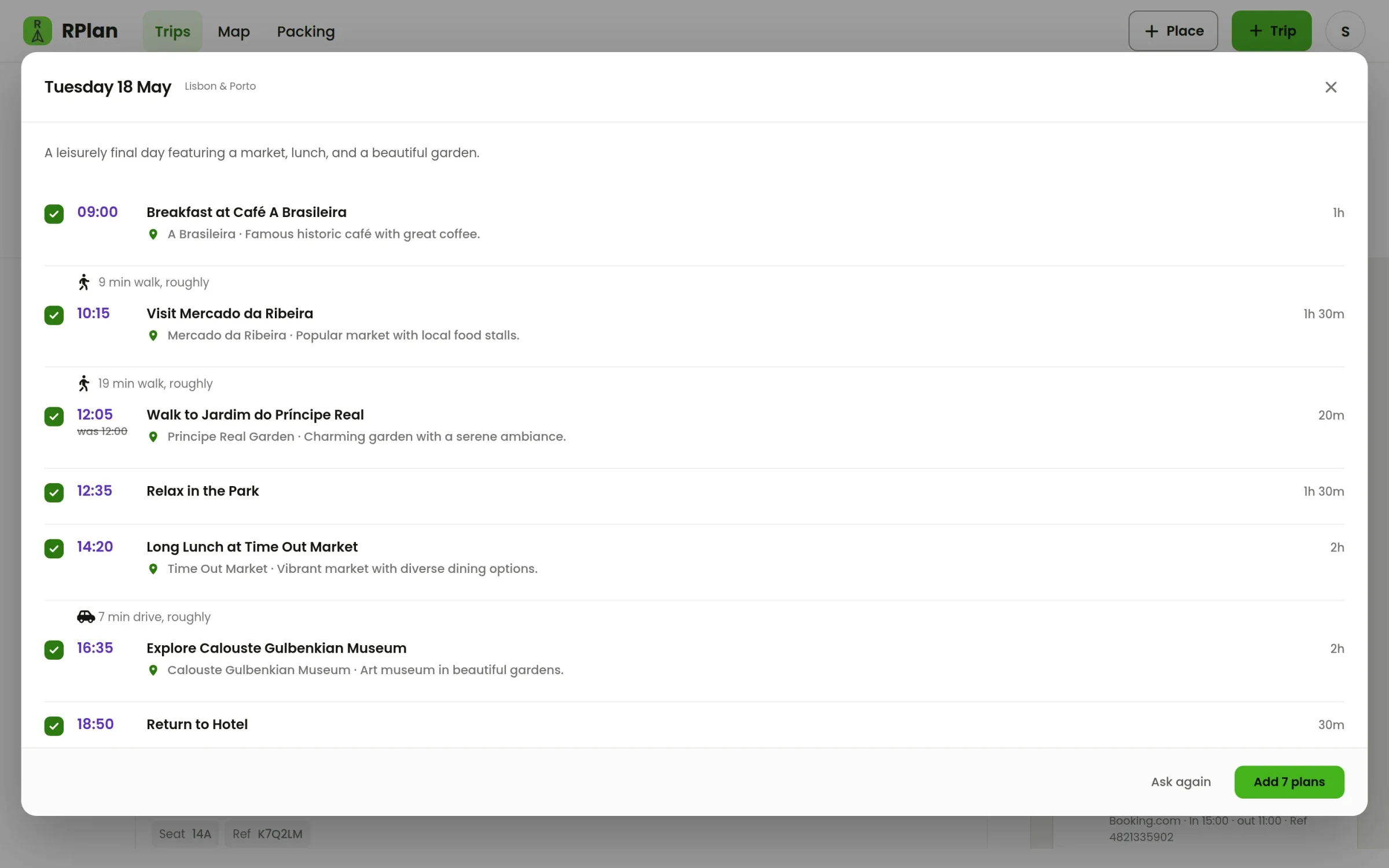
It also suggests checklist items for this particular trip, like insurance or a rail pass. In the plan editor it answers quick questions like how long a place takes and when to go. As always, nothing it suggests reaches your trip until you add it, and you can switch it off in your account.
A packing library you can drag around
Packing is now a library: your items on one side, your bags on the other. Drag items between them, or use the Pack menu on any item. You can search, filter to what isn't packed, and sort by weight, name or category. A bar at the top shows where the weight is going.
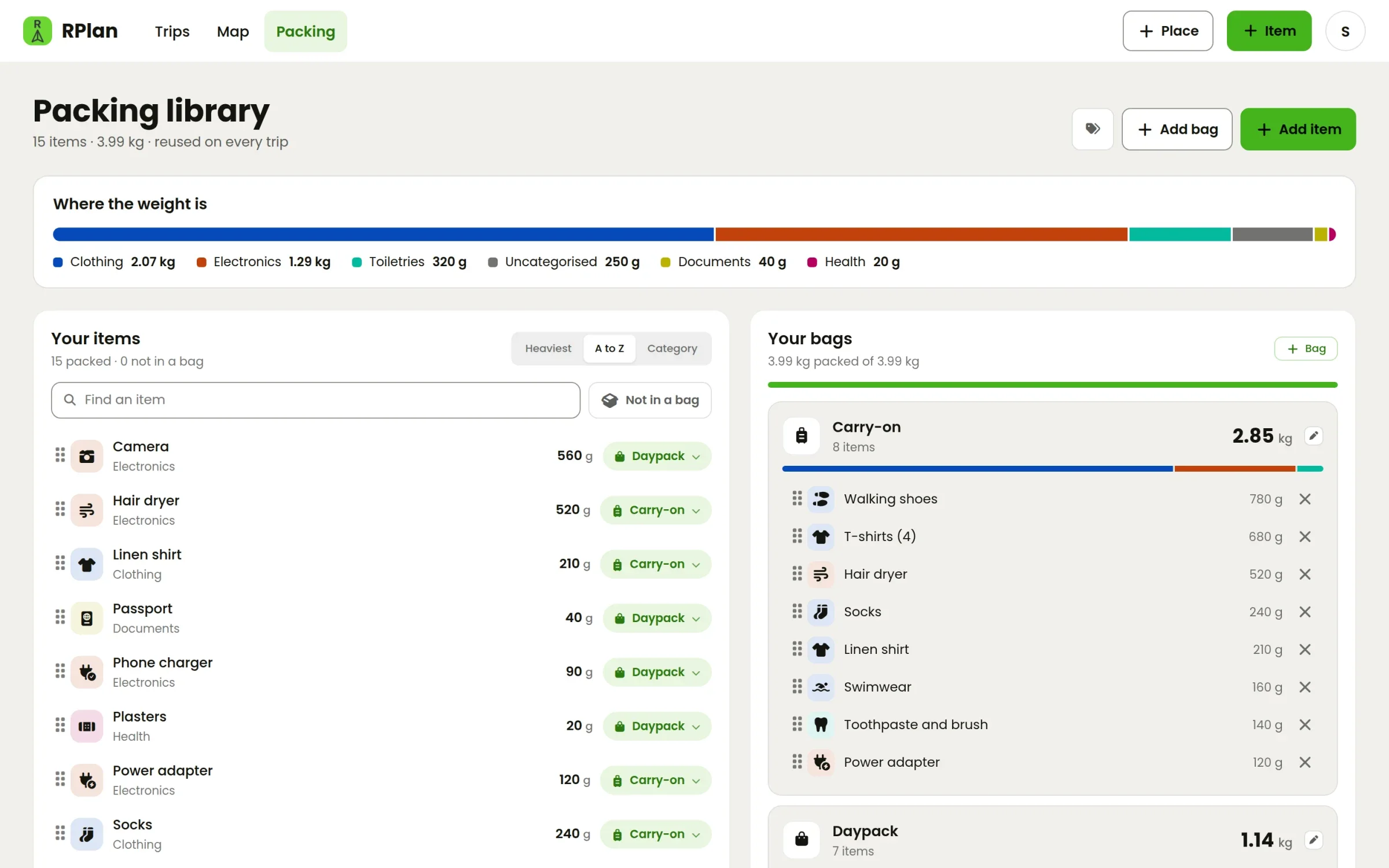
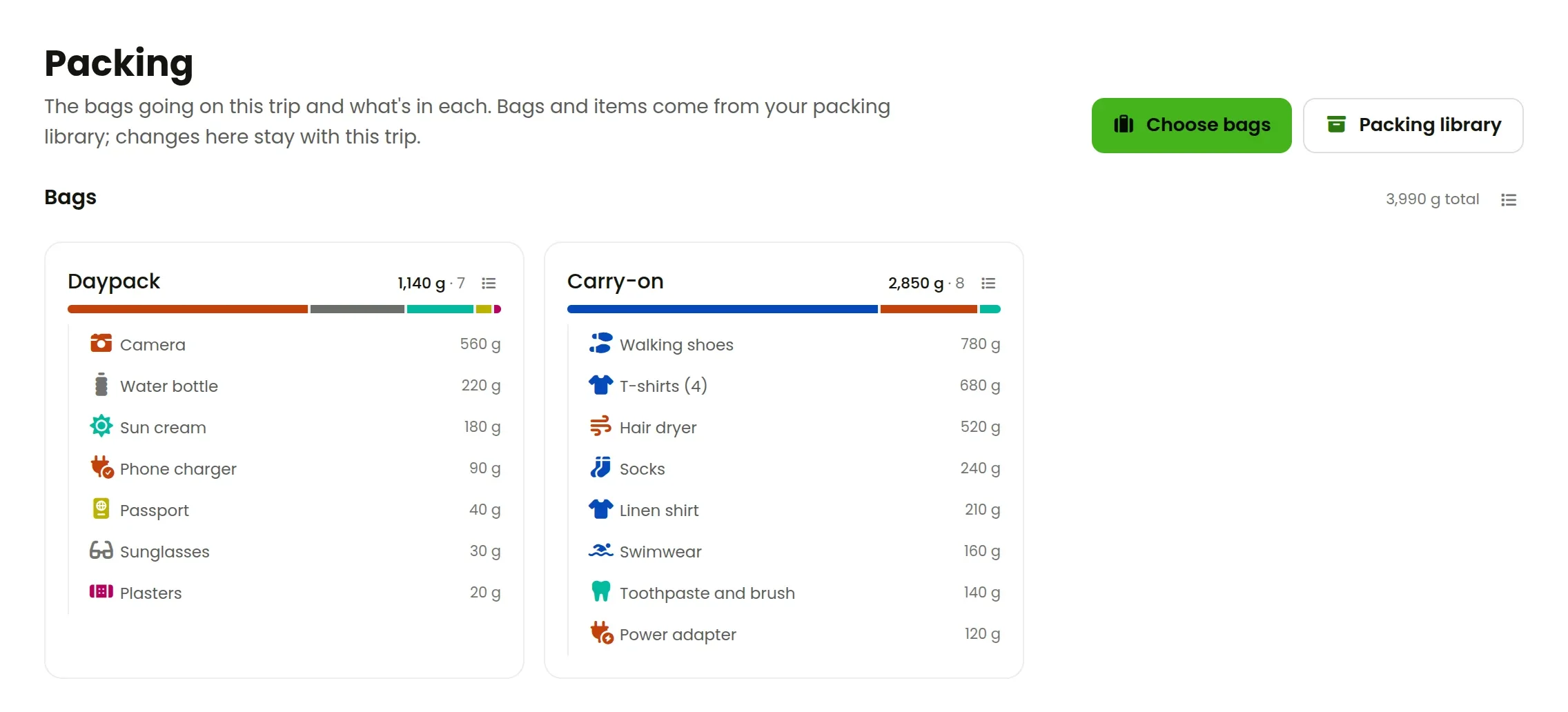
Each trip takes the bags you choose, with their items. Changes you make for one trip stay with that trip, so packing for a beach week doesn't wreck your city-break list.
Passes you can buy ahead, or give
Your first trip is still free, with everything switched on. Each trip after that is unlocked with an RPlan Pass, £5 paid once. You can now buy up to two Passes ahead, and they're used one by one on your next trips. You can also give a Pass to anyone by email: if they're not on RPlan yet, it's waiting in their account when they join.
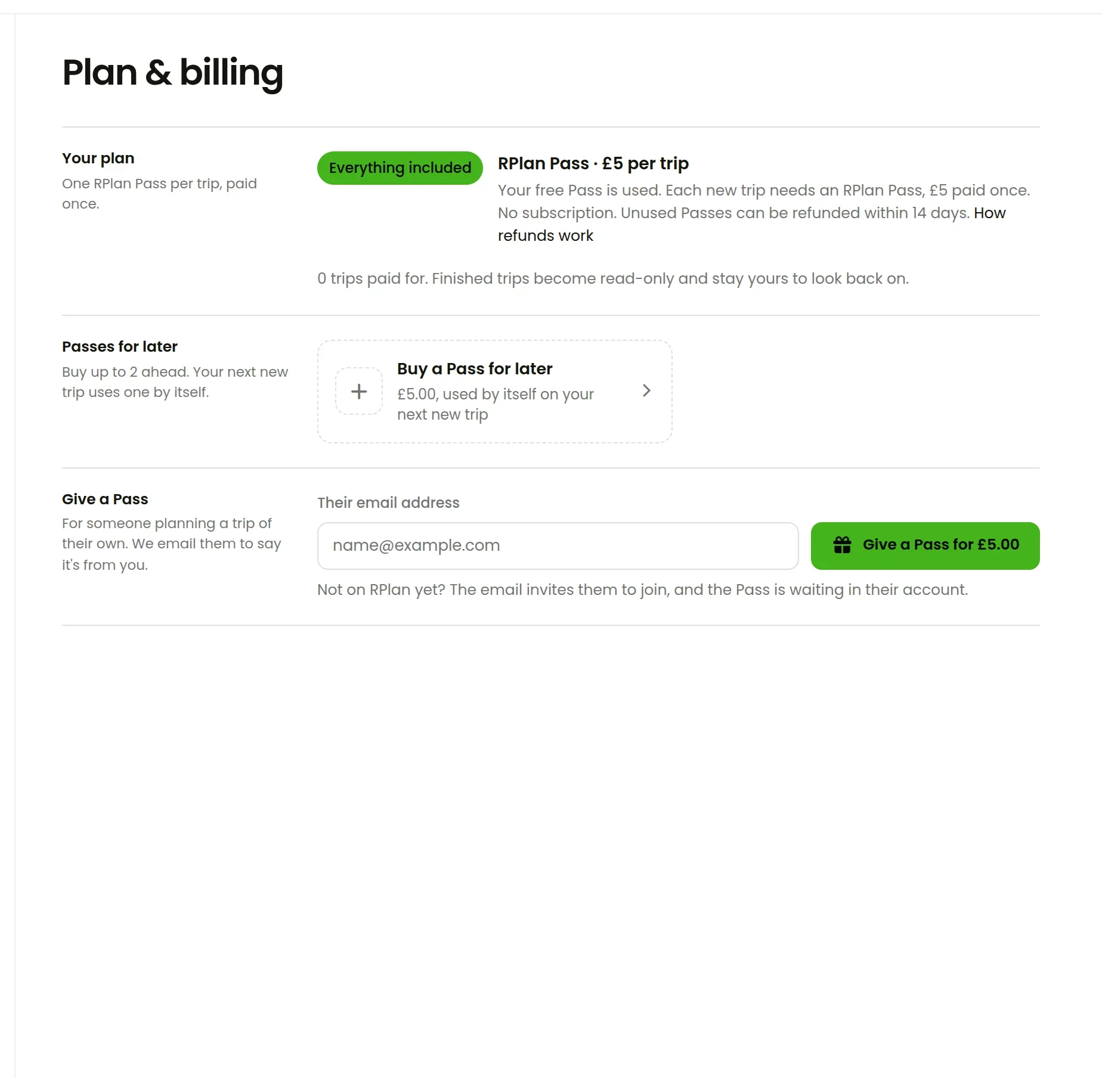
There's still no subscription. A trip you've paid for stays yours, and once it's over it becomes read-only and stays in your account to look back on.
And the small things
- Maps zoom with Ctrl or two fingers, so the page scrolls past them.
- New trips get a public domain photograph of the destination as their cover, so there's nothing to upload.
- Prices update as you type, and costs in other currencies convert into the trip's.
- The trip's dates can be set from a calendar button by the days.
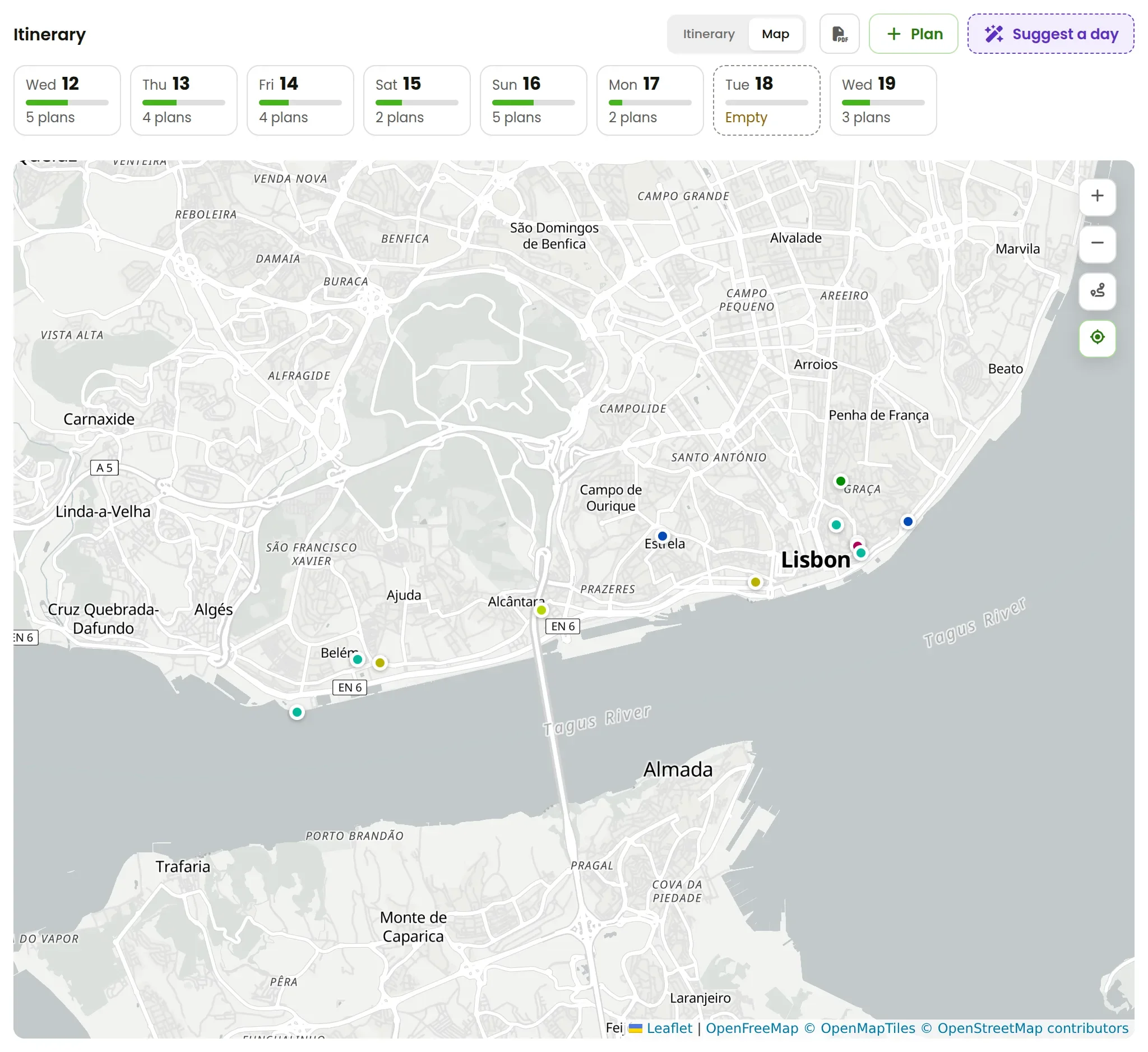
All of it works on your phone's browser too. If you've got a trip coming up, open RPlan and paste your first booking email. If you haven't tried it yet, your first trip is free.